
DevOps
Installation of Gitea Using Docker with Existing PostgreSQL Database
Overview
Gitea is a lightweight, self-hosted Git service similar to GitHub. This installation uses Docker for containerization, ensuring portability and ease of management. The setup connects to an existing PostgreSQL database on the host machine, eliminating the need for a separate database container.
Key Components:
- Docker and Docker Compose
- Gitea Docker Image (gitea/gitea:latest)
Prerequisites
- Docker and Docker Compose are installed.
- Existing PostgreSQL database (e.g., giteadb) with a dedicated user (e.g., giteauser) and granted privileges.
- PostgreSQL is configured for external connections.
Step-by-Step Execution Procedure
Step 1: Create Project Directory and docker-compose.yml
Create a directory and define the Docker Compose file as follows:
version: "3"networks: gitea: external: falseservices: gitea: image: gitea/gitea:latest container_name: gitea restart: always networks: - gitea environment: - GITEA__database__DB_TYPE=postgres - GITEA__database__HOST=host.docker.internal:5432 - GITEA__database__NAME=giteadb - GITEA__database__USER=giteauser - GITEA__database__PASSWD=strongpassword - USER_UID=1000 - USER_GID=1000 volumes: - ./gitea-data:/data - /etc/timezone:/etc/timezone:ro - /etc/localtime:/etc/localtime:ro ports: - "3000:3000" - "2222:22"
Step 2: Start the Container
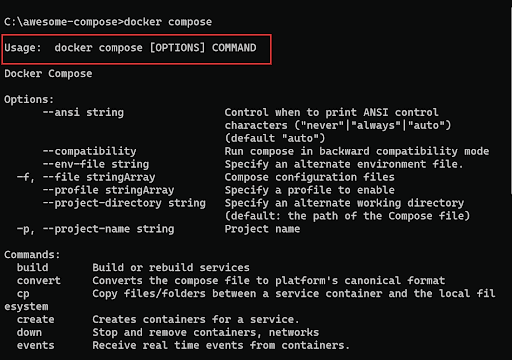
Run the following command:
docker compose up -d
Step 3: Complete Web Installation
Access http://<host-ip>:3000 in a browser and configure database settings to match the existing PostgreSQL instance.
Verification of Successful Execution
- The container starts without errors.
- Gitea web interface loads and connects to the existing database.
- Tables are created/migrated in the specified PostgreSQL database.
- Git repositories and SSH access function correctly.
Additional Notes
- For production: Implement HTTPS via reverse proxy.
- Data persistence: Stored in ./gitea-data.
- Updates: Pull a new image and recreate the container.
Ready to transform your business with our technology solutions? Contact Us today to Leverage Our DevOps Expertise.


Devops
Contact Us